

Deflect

HOW TO PLAYSwipe up, down, left or right
Meet the attack.

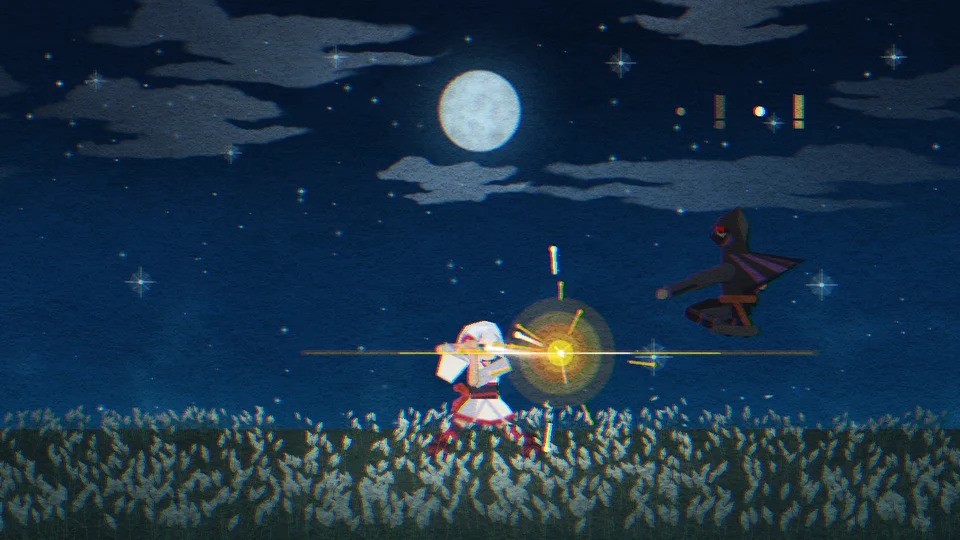
Match the direction and timing of an enemy’s attack to deflect it.


Swordplay with just one finger.
The controls are simple. Swipe in four directions to deflect. When an enemy staggers, touch and hold for Issen.
HOW TO PLAYSwipe up, down, left or right
Meet the attack.
Match the direction and timing of an enemy’s attack to deflect it.
RESULT OF DEFLECTINGEnemies are staggered
Turn defense into an opening.
Keep deflecting to break an enemy’s stance. Then it’s your chance to finish them.
HOW TO PLAYTouch and hold
End it in one stroke.
Cut through all staggered enemies with a single, decisive Issen.
RESULT OF DEFLECTINGLight gathers on your blade
Power gathers in your blade.
Consecutive deflections trigger Quickening, helping you break enemy stances. No extra input is needed.
Advance through stages and face the enemies and bosses that await.
Fight an endless stream of enemies and aim for a high score.
Enjoy smooth, fluid gameplay. Launch straight from your home screen and play in fullscreen.


Play here on a computer or phone. No installation needed.
The first load may take a little time.
(Download size: approx. 22 MB)
Yes, you can play for free.
No, there are no ads.
Neither the app nor the browser version requires an account. You can play the browser version on this page without installing anything.
On a phone, you can use the iOS or Android app, or play in a browser. On a computer, you can play in a browser. Touch, keyboard and controller input are supported.
They are saved in the app for the app version, or in your current browser for the browser version. Saves do not sync between devices or between the app and browser. Clearing browser data or using private browsing may remove or prevent browser saves.
Usually, deflect toward the side the attacking enemy is on. When a red 危 appears above your character, the attack comes from above or below. Watch the enemy’s stance and deflect up or down.
You can deflect at any time while the “!” above an enemy glows yellow or red. There is no need to wait until just before the attack hits.
Yes. The initial tutorial lets you practice deflecting and Issen by playing. You can return to How to Play later to practice again.
In Settings, available from the title screen or pause menu, Parry Window changes how long you can deflect while the “!” is red. Choose Longer if it feels too hard, or Shorter for more challenge. Shorter windows earn higher scores.
If you deflect the wrong way, you can’t deflect again for a moment, so you’ll get hit. Check the “!” and 危, then choose your direction before you deflect.
Staggered enemies recover after a while. Use Issen soon after you stagger them.
It shows how many enemies one Issen cut down. Issen strikes all staggered enemies at once, and the more you cut, the higher your score.
It counts how many times you have deflected without getting hit. The higher it is, the more points Issen earns. Getting hit resets it to 0, but using Issen does not.
They mark a special deflection made just before an enemy’s attack hits. Against regular enemies, a single deflection like this will stagger them.